A couples widget app that puts you on their home screen
A photo you just took, a doodle you both add to, and a countdown to the next time you see each other.
 By Jakub Sobotka, founder of I Choose You · Updated
Quick answer
I Choose You is a couples app for iPhone with three kinds of widgets: a photo you just took appears on your partner’s home screen, a shared drawing you take turns on shows up the same way, and lock-screen widgets count your time together, your anniversary, a countdown and your streak. The photo and drawing widgets are free. If you only want a days-together counter or photos from a whole friend group, another app is simpler.

I Choose You: free to start · 2 minutes a day · 1,700+ people every month · iPhone
What shows up in the widget?
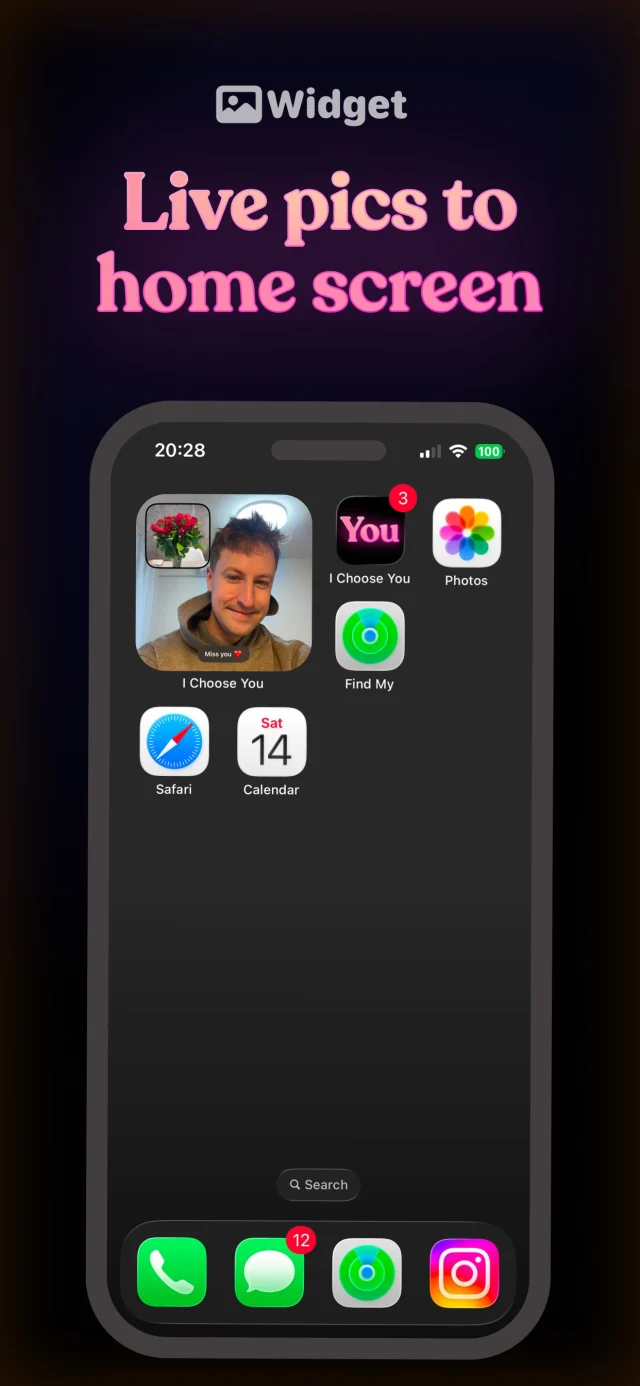
- Real Moments. A two-camera photo goes straight to your partner’s home-screen widget.
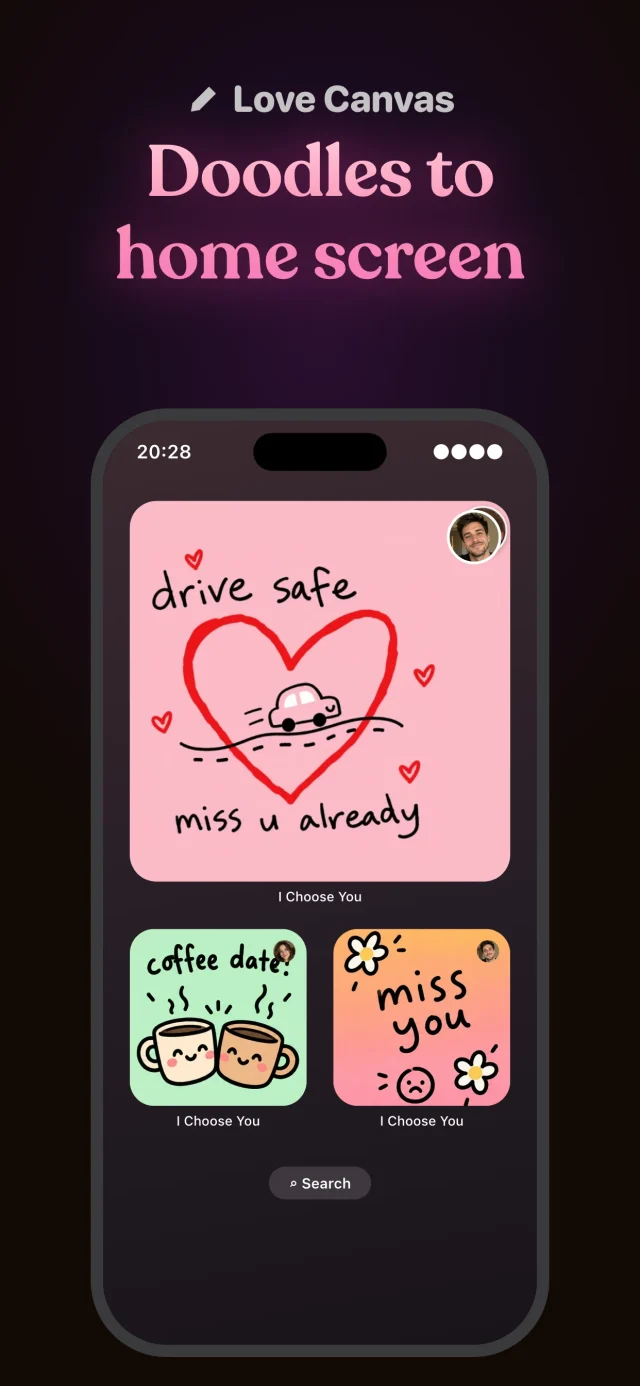
- Love Canvas. One drawing for the two of you. You take turns adding to it, and the latest version sits in your partner’s widget.
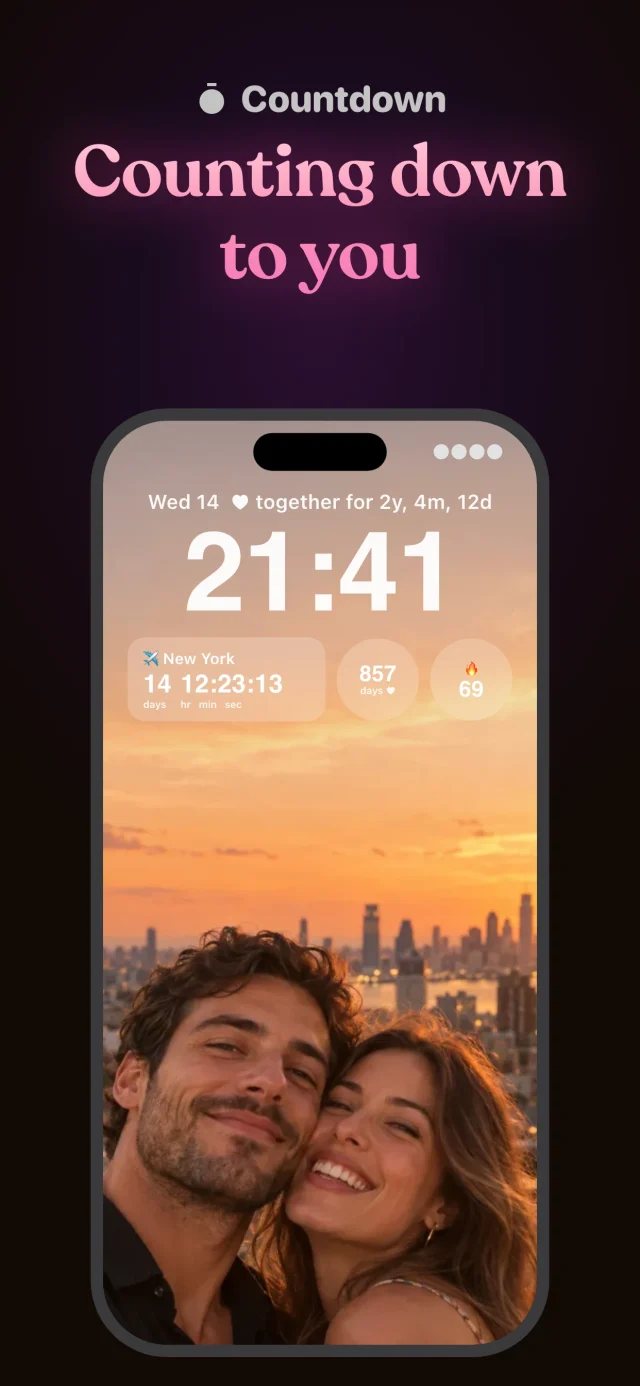
- Lock-screen widgets. Time together, your anniversary, countdowns and your Love Streak.
Photos are one of the most-used parts of the app: 1,200+ people shared photos with their partner in August 2026, and 1,000+ drew for their partner.
How do you add a couples widget on iPhone?
Pair with your partner in the app first, then add the widget like any other: hold an empty spot on the home screen, tap Edit, choose Add Widget and search for "I Choose You". After that the widget updates by itself when your partner sends a photo or saves a drawing. iOS decides the exact moment, so it can take a little while.
I Choose You at a glance
Best for: couples who want the widget to carry something made today, not a number
- Free: photo widget, Love Canvas, Daily Challenge, Love Streak, free question packs, Vibe Check, the dragon
- Premium: every question pack plus extras like the Countdown widget. Listed at $39.99/year on the US App Store on October 14, 2026; one subscription covers both of you.
- Platforms: iPhone only (Android waitlist)
- Verdict: pick it if you want photos and doodles from one person. Skip it if one of you is on Android.
Send your first photo to their home screen. Free to start.
Which couples widget app should you pick?
Widget apps for couples do one of three things: show a photo, show a counter, or show a pet.
| App | What the widget shows | Price listed (US) |
|---|---|---|
| I Choose You | Your partner’s two-camera photo, a shared drawing, and lock-screen counters | Free to start; Premium $39.99/year, covers both |
| Locket Widget | Live photos from your best friends on your home screen | Locket Gold listed at several prices from $1.99 to $36 |
| Widgetable | Interactive lock-screen and home-screen widgets, including pets you raise together | Premium $1.99–$4.99/month, $19.99/year |
| Tethered | Drawings and photos on your partner’s home screen, plus the distance between you. Released December 2025 | $4.99/week, $12.99–$14.99/month, $39.99/year |
| HeartTap | Your partner’s status and shared drawings on home and lock screen. Released April 2026 | $7.99–$9.99/week, $24.99–$59.99/year, lifetime $49.99 |
| Couple Widget: Love Countdown | A days-together counter with anniversary reminders. On the App Store since 2016 | Free to download |
What each app does comes from its own US App Store description. Prices are from the "In-App Purchases" list on the same listing, checked November 18, 2026. Where a listing shows several prices for one plan, the table gives the range.
When is another app the better pick?
- You only want a days-together counter. Couple Widget does that one thing and has done it since 2016.
- You want photos from friends too. Locket is built for a group of best friends. I Choose You is for exactly two people.
- One of you has Android. I Choose You is iPhone only. Widgetable is on Google Play too.
- You want to see the distance between you. Tethered shows it. I Choose You has no live location or distance.
I Choose You
Be the photo on their home screen
- Two-camera photos straight to their widget
- A drawing you take turns on
- 3 daily questions and a streak in the same app
Free to start · 2 minutes a day · 1,700+ people every month · iPhone
Frequently asked questions
How do I put my partner’s photos on my home screen?
Install a couples widget app on both phones, pair with your partner, then add the app’s widget to your home screen. In I Choose You (iPhone), a photo your partner takes in the app appears in your widget without you opening anything.
Is the I Choose You widget free?
The photo widget and the Love Canvas drawing widget are free. The Countdown widget is part of Premium, which also unlocks every question pack. One subscription covers both partners.
Does the widget update when the app is closed?
Yes. The widget refreshes by itself after your partner sends a photo or saves a drawing. iOS decides the exact moment, so it can take a little while.
What is the best widget app for long-distance couples?
It depends on what you want to see. For a fresh photo and a doodle from your partner plus a countdown to your next visit, I Choose You (iPhone). For the distance between you, Tethered. For Android, Widgetable. More on I Choose You for long-distance couples.
Is there a couples widget app for Android?
Yes, Widgetable is on Google Play. I Choose You is iPhone only for now and has an Android waitlist.
Sources
- US App Store listings of Locket Widget, Widgetable, Tethered, HeartTap and Couple Widget (description, release date, in-app purchase prices), checked November 18, 2026
- Google Play listing of Widgetable (Android availability), checked October 14, 2026
- I Choose You numbers: our own usage data, September and August 2026