A couples drawing app with one canvas for the two of you
You add a doodle, they add theirs on top. The latest version sits on their home screen.
 By Jakub Sobotka, founder of I Choose You · Updated
Quick answer
I Choose You has Love Canvas: one drawing that you and your partner take turns adding to on iPhone. When you save, the new version shows up in your partner’s home-screen widget, and finished drawings go to a shared gallery. It is part of the free app. If you want live drawing at the same moment or Android, another app fits better.

I Choose You: free to start · 2 minutes a day · 1,700+ people every month · iPhone
How does drawing together work?
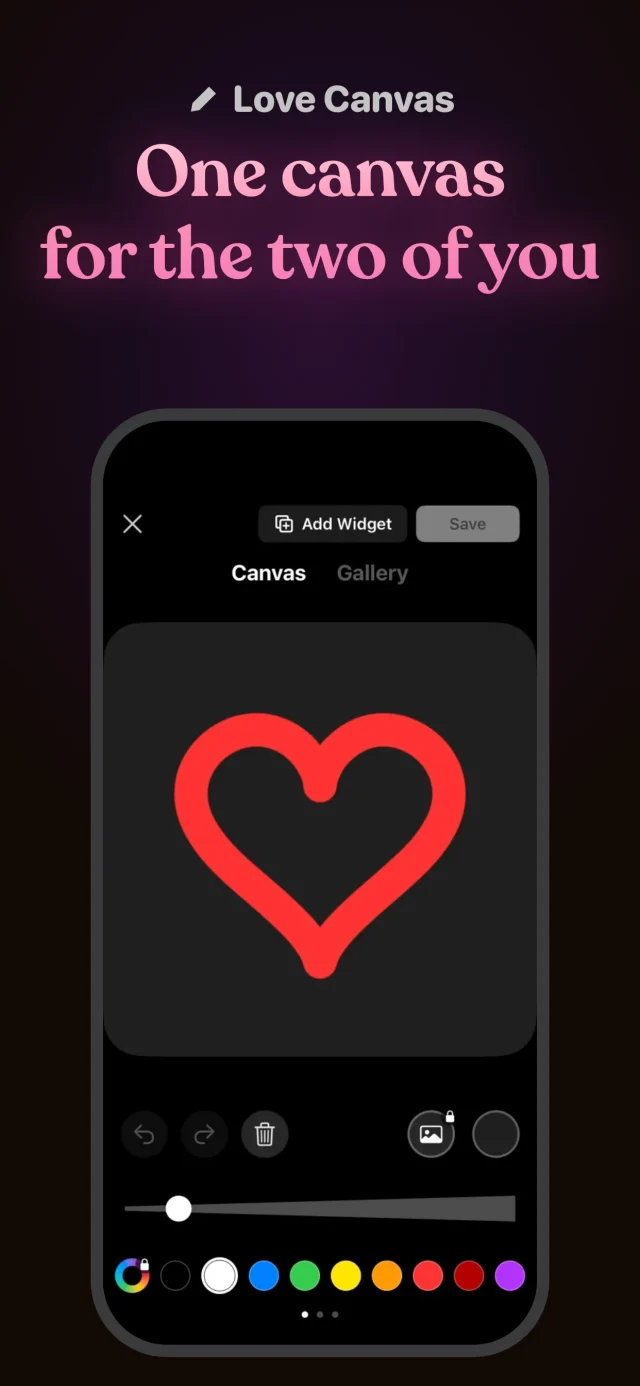
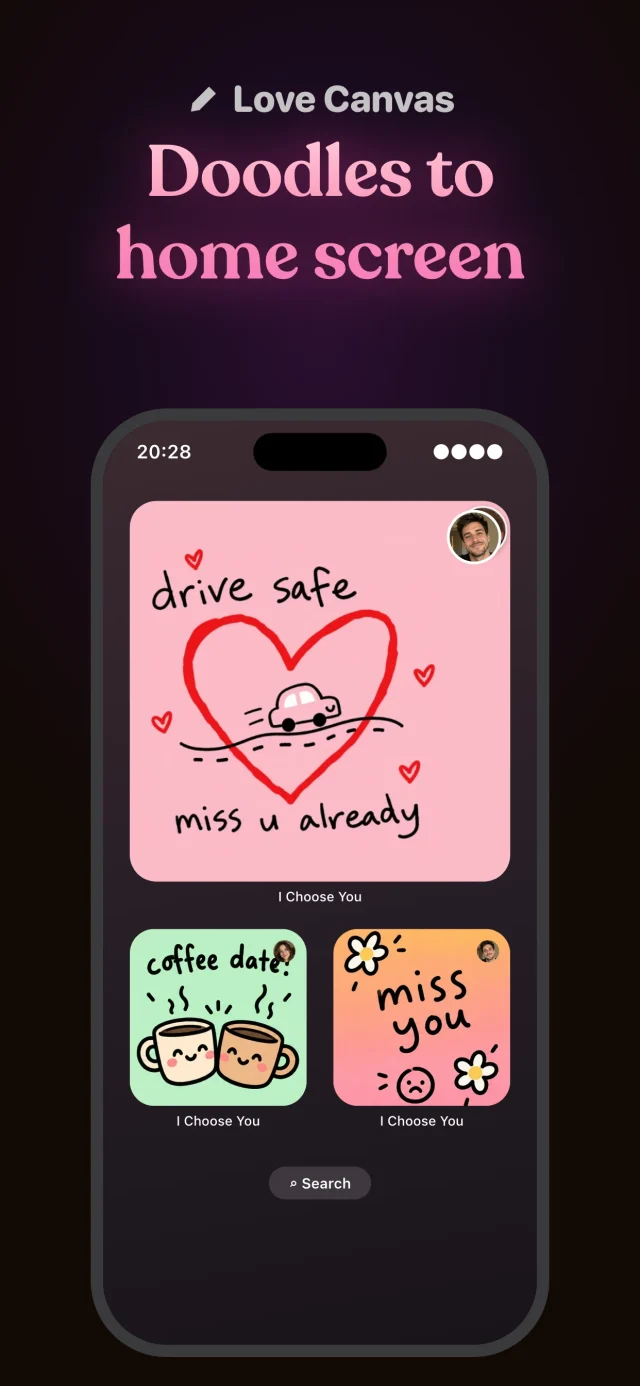
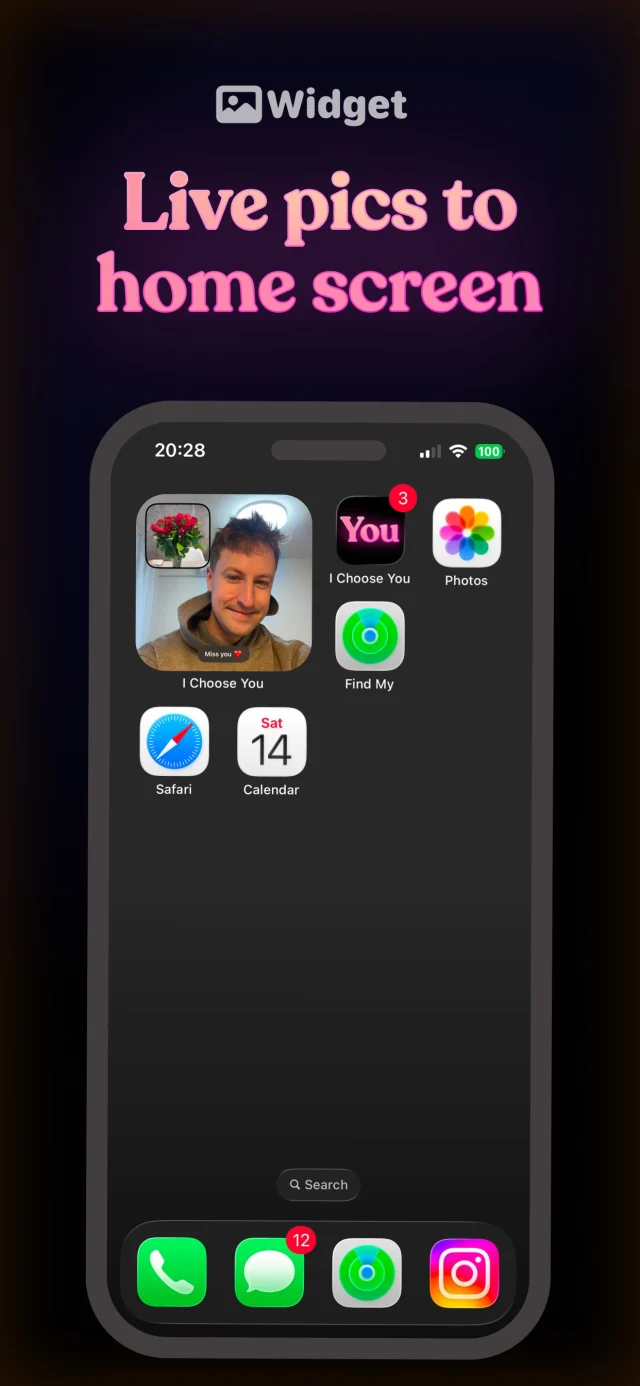
- One canvas. You both draw on the same picture. Your partner’s last version is the background for your next strokes.
- Taking turns. One of you draws at a time, so you never overwrite each other.
- Saved on purpose. Nothing goes out until you tap Save.
- On their home screen. Add the widget and the latest drawing appears there without opening the app.
- A gallery. Drawings you want to keep go to a shared gallery.
Drawing is one of the most-used parts of the app: 1,000+ people drew for their partner in August 2026.
Why draw instead of text?
A doodle takes ten seconds and says something a text doesn’t: you were thinking about them, badly drawn heart included. Because it sits on their home screen, they see it every time they unlock the phone, not only when they open a chat.
I Choose You at a glance
Best for: couples who want small doodles to land on each other’s home screen
- Price: free to start. Premium (every question pack plus extras like the Countdown widget) was listed at $39.99/year on the US App Store on October 14, 2026, and one subscription covers both of you.
- Platforms: iPhone only (Android waitlist)
- Languages: English and Czech
- Verdict: pick it if you like leaving each other little drawings. Skip it if one of you is on Android or you want to draw live at the same moment.
Send your first doodle tonight. Free to start.
Which couples drawing app should you pick?
| App | Drawing for couples | Price listed (US) |
|---|---|---|
| I Choose You | One shared canvas you take turns on, shown in your partner’s widget, plus a gallery | Free to start; Premium $39.99/year, covers both |
| Tethered | Drawings and photos sent to your partner’s home screen, plus a map with the distance between you | $4.99/week, $12.99–$14.99/month, $39.99/year |
| HeartTap | Your status and shared drawings on home-screen and lock-screen widgets | $7.99–$9.99/week, $24.99–$59.99/year, lifetime $49.99 |
| Everlee | Doodles and love notes next to a shared pet and garden | Premium listed at $4.99 and $39.99 |
What each app does comes from its own US App Store description. Prices are from the "In-App Purchases" list on the same listing, checked November 18, 2026. Where a listing shows several prices for one plan, the table gives the range.
When is another app the better pick?
- You want to draw at the same moment. Love Canvas is turn-based, one of you at a time.
- One of you has Android. I Choose You is iPhone only.
- You only want drawing. HeartTap and Tethered are built around widgets. I Choose You also has daily questions, a streak and a pet.
I Choose You
Doodle on their home screen
- One canvas for the two of you
- The latest drawing in their widget
- Daily questions and photos in the same app
Free to start · 2 minutes a day · 1,700+ people every month · iPhone
Frequently asked questions
Is there an app where couples can draw together?
Yes. In I Choose You (iPhone) you and your partner take turns on one shared canvas, and the latest drawing shows up in your partner’s home-screen widget. Tethered, HeartTap and Everlee also let couples send drawings.
Can we draw at the same time?
Not in I Choose You. Love Canvas is turn-based: one of you draws, saves, and the other adds on top.
Is Love Canvas free?
Yes, the shared canvas and its widget are part of the free app.
How do I put the drawing on my home screen?
Pair with your partner in the app, then add the I Choose You widget: hold an empty spot on the home screen, tap Edit, choose Add Widget and search for I Choose You.